Find potential customers in a specific sector
Describe your ideal customer by sector, location and size, and let AI find real companies that match that profile.
 CLOUD
Define your ideal customer. Find companies that fit.
Describe the profile you seek and turn web research into a prioritised sales list.
Prepare prospecting when you know whom you want to sell to but need to find candidates.
Describe your ideal customer by sector, location and size, and let AI find real companies that match that profile.
Generate lists of qualified leads with a justification of why they fit, so the sales team can start reaching out without wasting time on manual searches.
Before expanding into a new area, identify which companies could be potential customers in that location.
Create different search profiles for different campaigns and compare which segment generates more relevant leads.
Define the profile, run the search and work with results.
Organise the search in a sales project.
Specify industry, location, size and other useful criteria.
The tool researches candidates in public sources and explains their suitability.
Review the list and export it to continue your sales work.
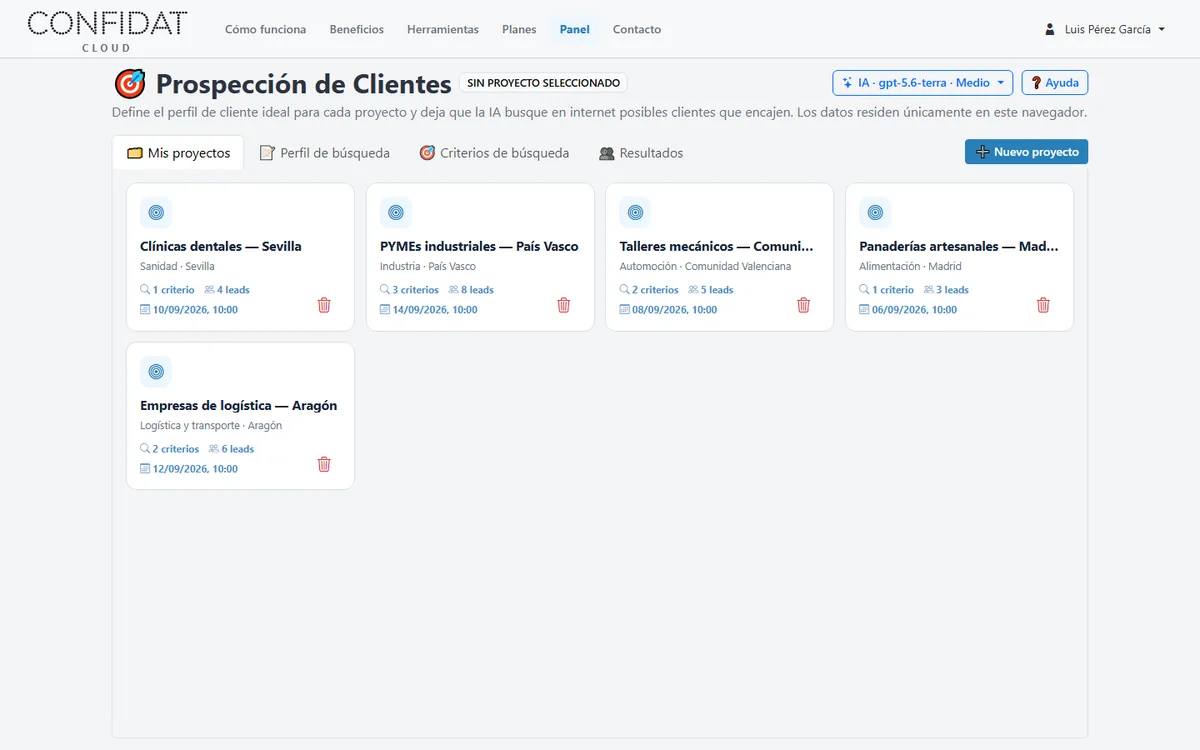
Tool screenshots with demonstration data.
Screenshots show the Spanish interface with demonstration data.
The projects view keeps different demonstration sales profiles.
Demonstration sessionThe project form captures criteria that guide the company search.
Demonstration session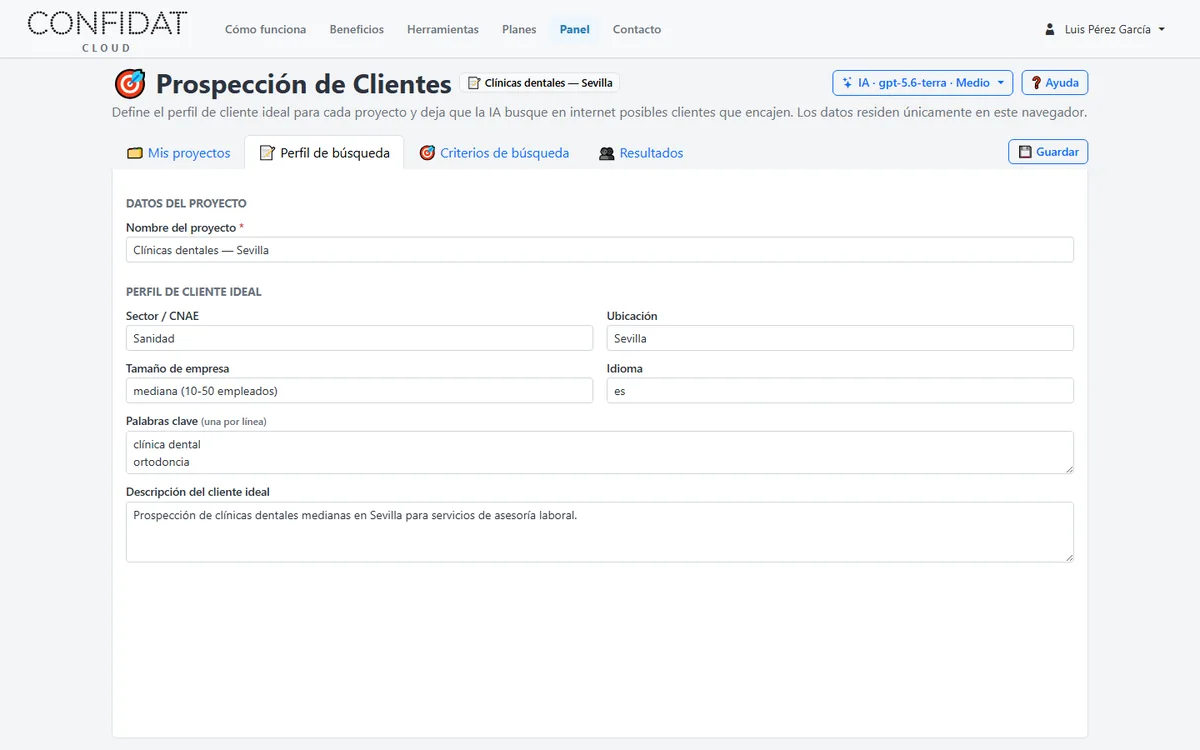
Each result includes useful data and an explanation of its suitability so you can prioritise your next contact.
Practical information before you start.
Based on the ideal customer profile you describe (sector/industry code, location, size, keywords and a free-text description), AI generates concrete search criteria.
All projects, search profiles and leads are stored locally in your browser (IndexedDB), never on our servers.
Yes, you can export the results to Excel or CSV with all the data for each lead, including the AI-generated justification.
Describe the profile you seek and turn web research into a prioritised sales list.