Watch competitor prices
Monitor a competitor's pricing page and get notified as soon as a price or condition changes.
 CLOUD
Monitor any website. Find out only when something changes.
Configure a URL once and receive a clear report of each relevant change by email.
Situations where you need to know what changed without visiting the same page every day.
Monitor a competitor's pricing page and get notified as soon as a price or condition changes.
Watch an official organization's page to find out as soon as a new call for applications or deadline is published.
Get an automatic alert when an out-of-stock product becomes available again on a supplier's website.
Monitor the news section of a media outlet or institution relevant to your business without having to check it manually every day.
Configure monitoring once and view every check in its history.
Add the URL to monitor and, if relevant, what to focus on.
Choose when the page is checked. The first reading establishes the reference content.
Subsequent checks compare content with the reference and explain relevant changes.
View the monitor history and receive configured notifications by email.
Tool screenshots with demonstration data.
Screenshots show the Spanish interface with demonstration data.
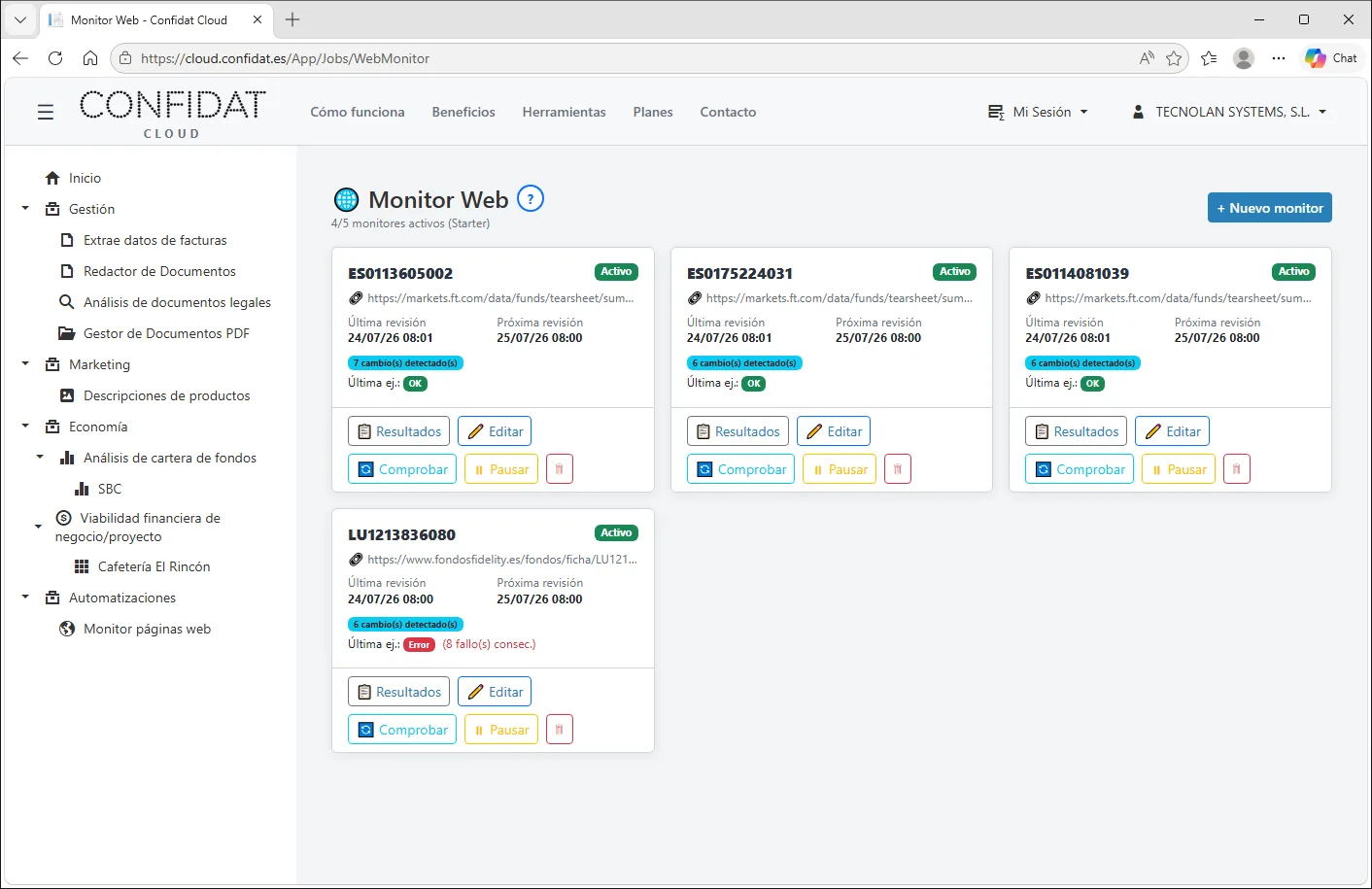
The list shows several demonstration monitors, their upcoming checks and detected changes.
Demonstration sessionThe edit screen lets you review a monitor's URL, frequency and focus.
Demonstration session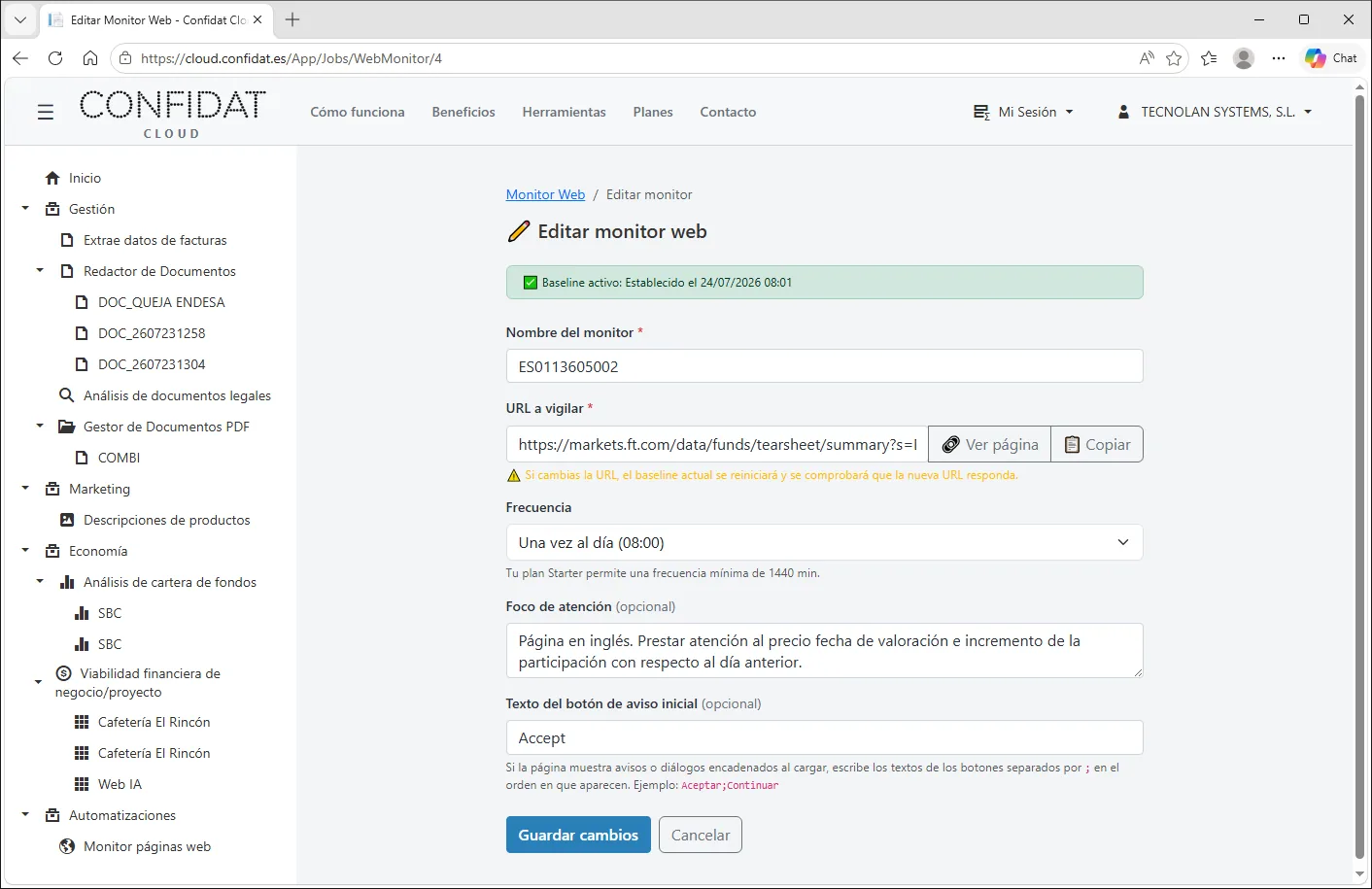
The history brings together checks and reports of relevant changes.
Demonstration session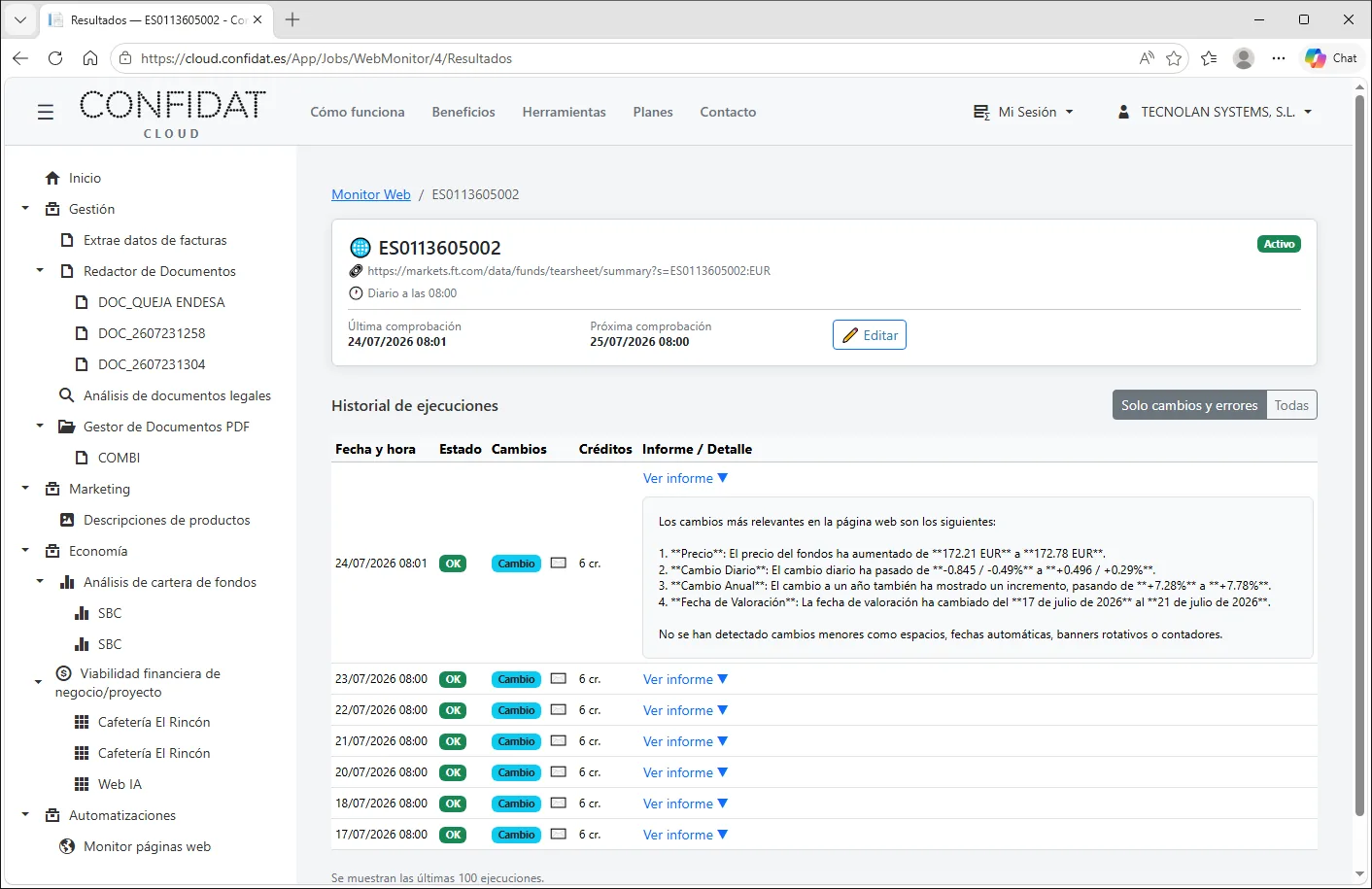
Each run is organised so you know what happened, when and why it matters.
Practical information before you start.
It is an automation that periodically checks a public URL and, when it detects changes, generates a natural-language report and notifies you by email.
You can configure the frequency: daily, weekly or a custom interval.
Yes, you can provide an optional focus, for example alerts about price or availability changes.
Configure a URL once and receive a clear report of each relevant change by email.