Merge several documents into one
Combine invoices, attachments or reports that arrived as separate PDFs into a single document ready to send or archive.
 CLOUD
Your PDFs, organised. Select, group and download.
Combine documents, reorder pages and use AI to recognise their structure automatically.
When a file arrives split up, out of order or with pages you do not need.
Combine invoices, attachments or reports that arrived as separate PDFs into a single document ready to send or archive.
From a lengthy dossier, select only the relevant pages to share with a client or colleague without sending the whole document.
Fix the page order of a document scanned out of sequence before archiving it for good.
Use automatic structure detection to quickly locate a specific section within a long document with multiple parts.
Select pages and create the document you actually need to share.
Upload the files that make up your document job.
View thumbnails and use structure detection if it helps you locate sections.
Select the pages or groups you want to keep.
Generate the resulting PDFs in the prepared order.
Tool screenshots with demonstration data.
Screenshots show the Spanish interface with demonstration data.
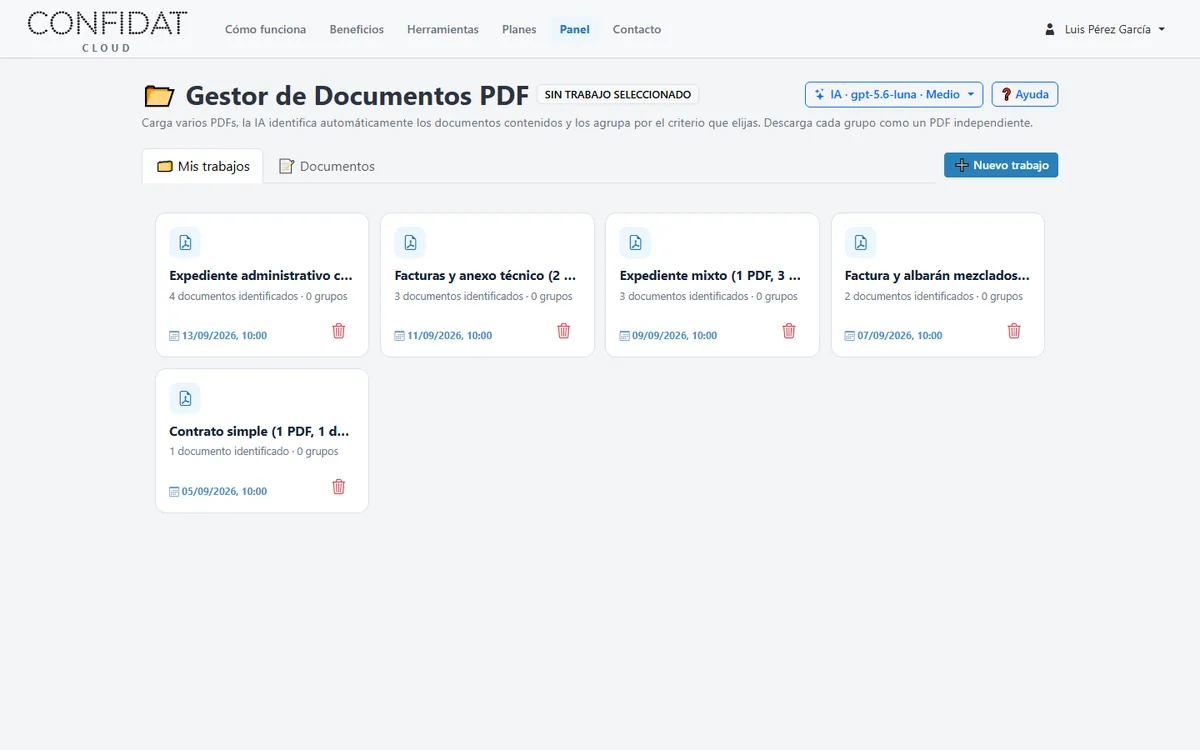
Cards show PDF jobs from the demonstration session.
Demonstration sessionThe job view organises identified documents before generating the resulting files.
Demonstration session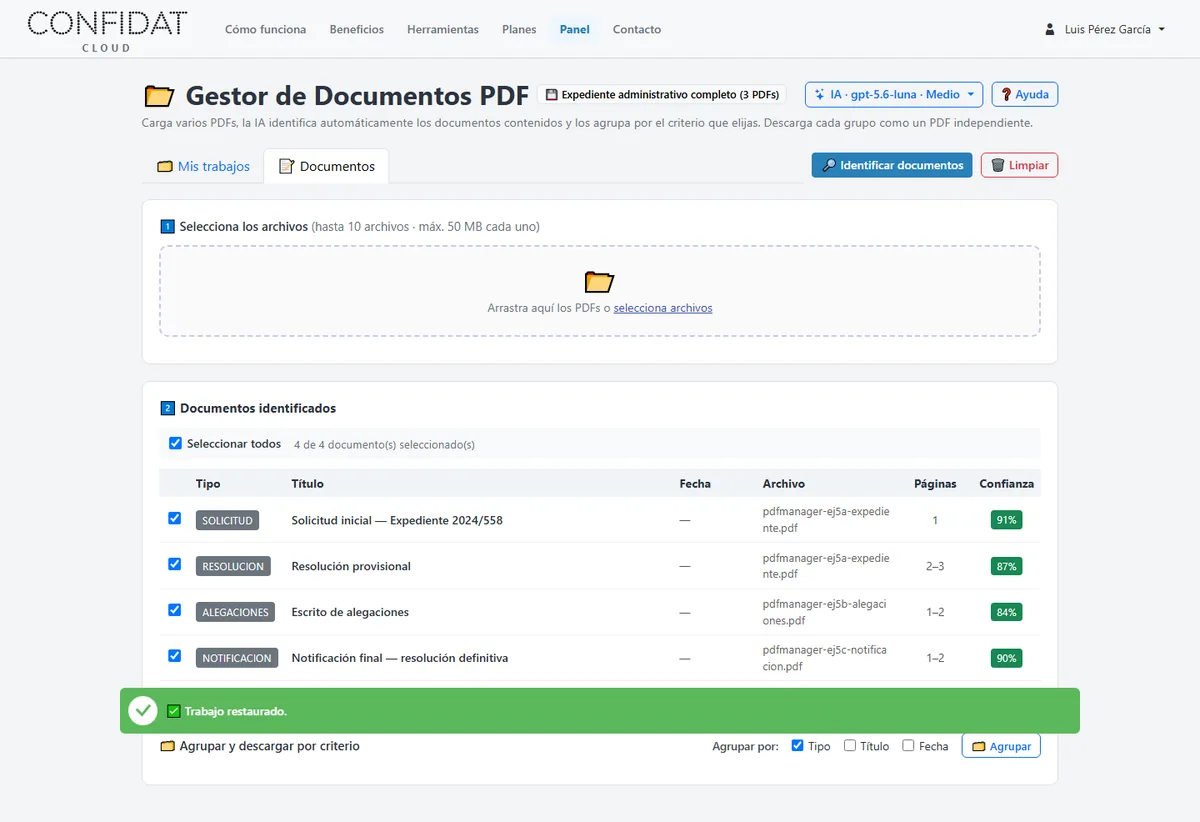
Select pages or complete groups and generate separate files while keeping control of their order.
Practical information before you start.
Yes, you can upload several PDFs, select and reorder pages and generate a new document.
It depends on the service configuration, usually up to 50 MB per individual file.
Yes, it includes AI-based structure detection to make page selection easier.
Combine documents, reorder pages and use AI to recognise their structure automatically.