Upload a catalog to an online store
Photograph each item and generate in seconds the title, description and features to publish it in your ecommerce, without writing each listing by hand.
 CLOUD
One photo. A product listing ready to sell.
Turn images into names, sales descriptions, features and SEO keywords.
From an online store to a large catalogue, every product needs a clear listing.
Photograph each item and generate in seconds the title, description and features to publish it in your ecommerce, without writing each listing by hand.
Get an attractive description and a market price estimate to sell furniture, electronics or any second-hand item.
Speed up the creation of technical listings when you manage hundreds of products and can't write each one manually.
Generate optimized keywords and descriptions so your products rank better in search engines.
Start with images and review the text before publishing.
Add one or more images of the item to provide context for the analysis.
The tool suggests a name, description, features and keywords.
Open the product and check the data, tone and commercial information.
Adjust the text and take it to your store, marketplace or catalogue.
Tool screenshots with demonstration data.
Screenshots show the Spanish interface with demonstration data.
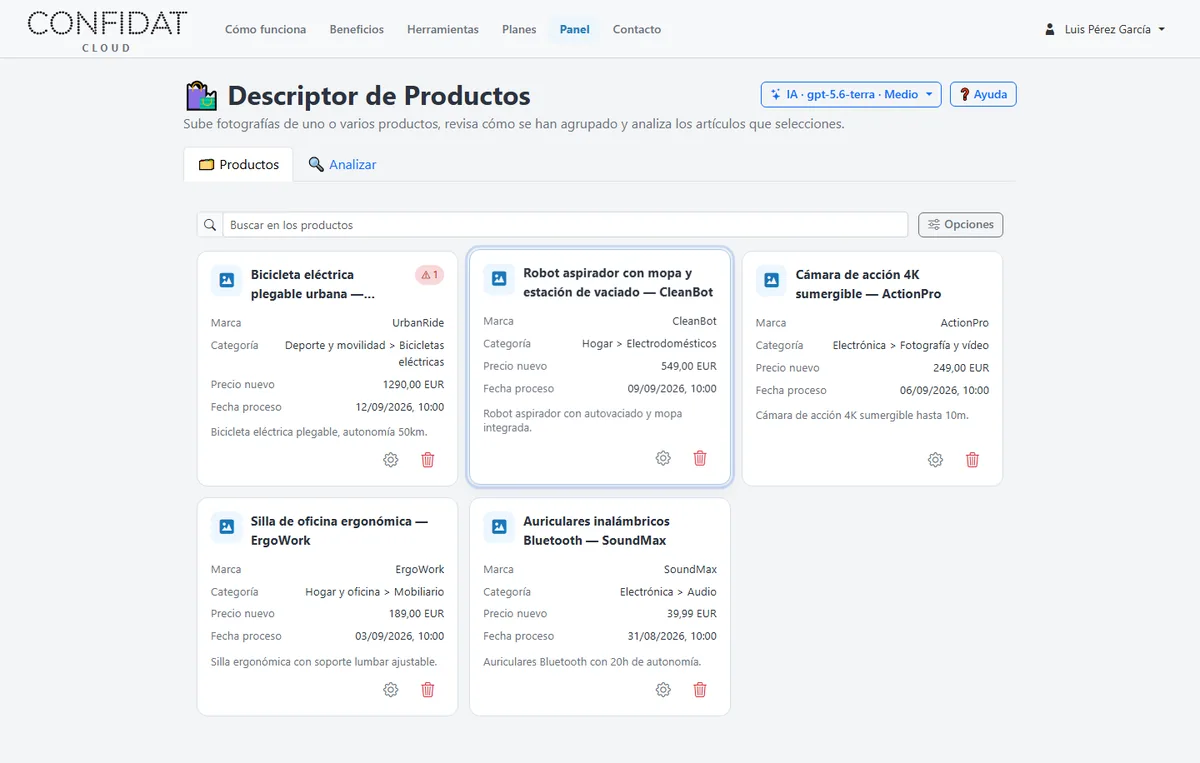
Cards let you recognise each product and return to its content.
Demonstration sessionThe detail brings together the description, features and other fields for review before publication.
Demonstration session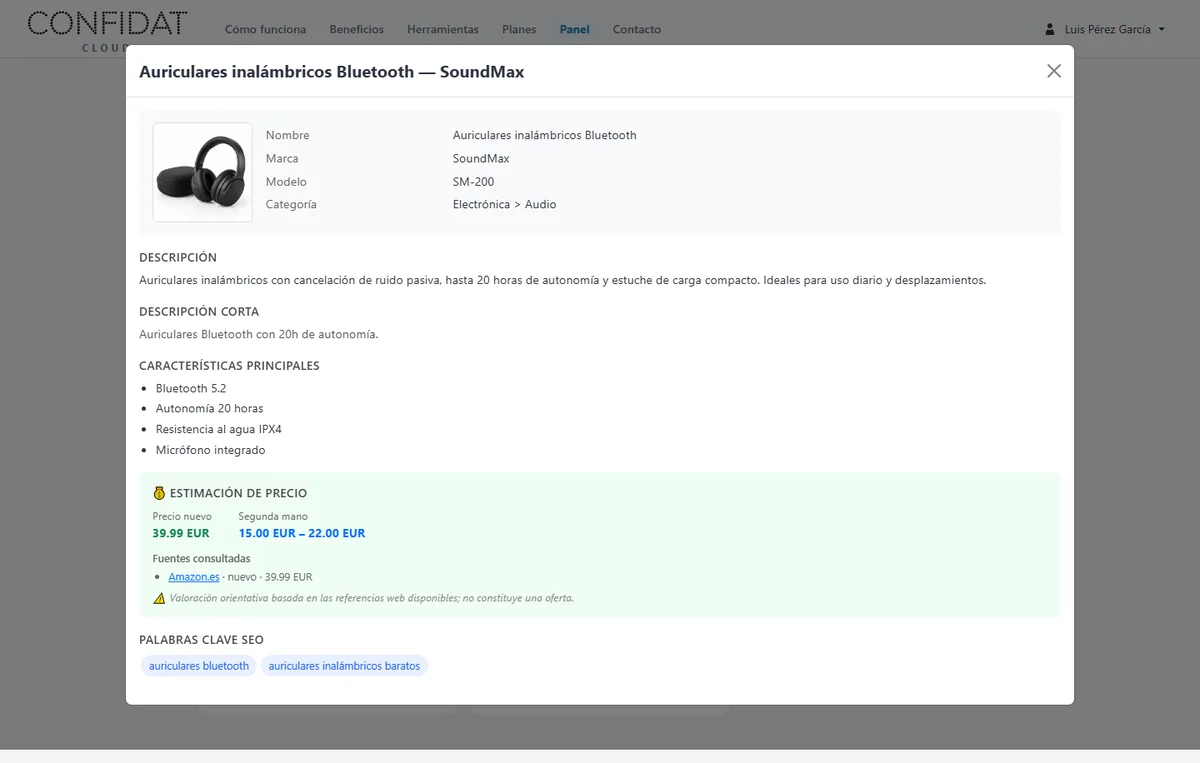
Get consistent, editable content prepared for ecommerce, marketplaces or catalogues.
Practical information before you start.
It accepts JPG, PNG and WEBP. You can upload photographs of several products and the tool attempts to group each item's views before analysis.
Yes, you can give optional instructions about language, tone, length and SEO keywords.
After identifying the product, the tool checks available web sources. The valuation remains indicative and lists only sources actually used.
Yes. The AI selector lets you choose the model and effort; otherwise the recommended option is used.
For online stores, distributors and marketplaces that need quick product listings.
Products opens by default and shows cards. You can search for any text in a record and use Options to group, sort and choose visible fields. The configuration is kept in that browser.
Click its card to open the detail. The gear shows input photographs and parameters when available; the bin asks for confirmation before deleting it.
Turn images into names, sales descriptions, features and SEO keywords.