Review your website before a campaign
Find technical and content issues that may be affecting your search visibility before investing in advertising.
 CLOUD
Analyse your website and discover what to improve first.
Analyse a configurable sample of a website and turn its main technical, SEO and content issues into a clear improvement plan.
Situations where reviewing your website can help you decide what to do next.
Find technical and content issues that may be affecting your search visibility before investing in advertising.
Generate a report with prioritised findings and recommendations to present improvements to your client.
After changing the structure or design, analyse the public URL for SEO and functionality to find outstanding metadata and navigation issues on the reviewed pages.
After updating titles, descriptions or links, repeat the analysis and check the previous report in your history to see whether the finding still appears.
From a URL to a report distinguishing objective checks from AI interpretation.
Specify a public page. The crawl reviews a limited sample from the same domain.
Select SEO and technical aspects, functionality and presentation, or both. Both are selected initially.
Choose the model to interpret results. Checks and scores are calculated using rules.
The tool crawls, evaluates and displays progress. The corresponding interpretation runs automatically.
Review each analysis in its section, download the PDF and revisit saved reports.
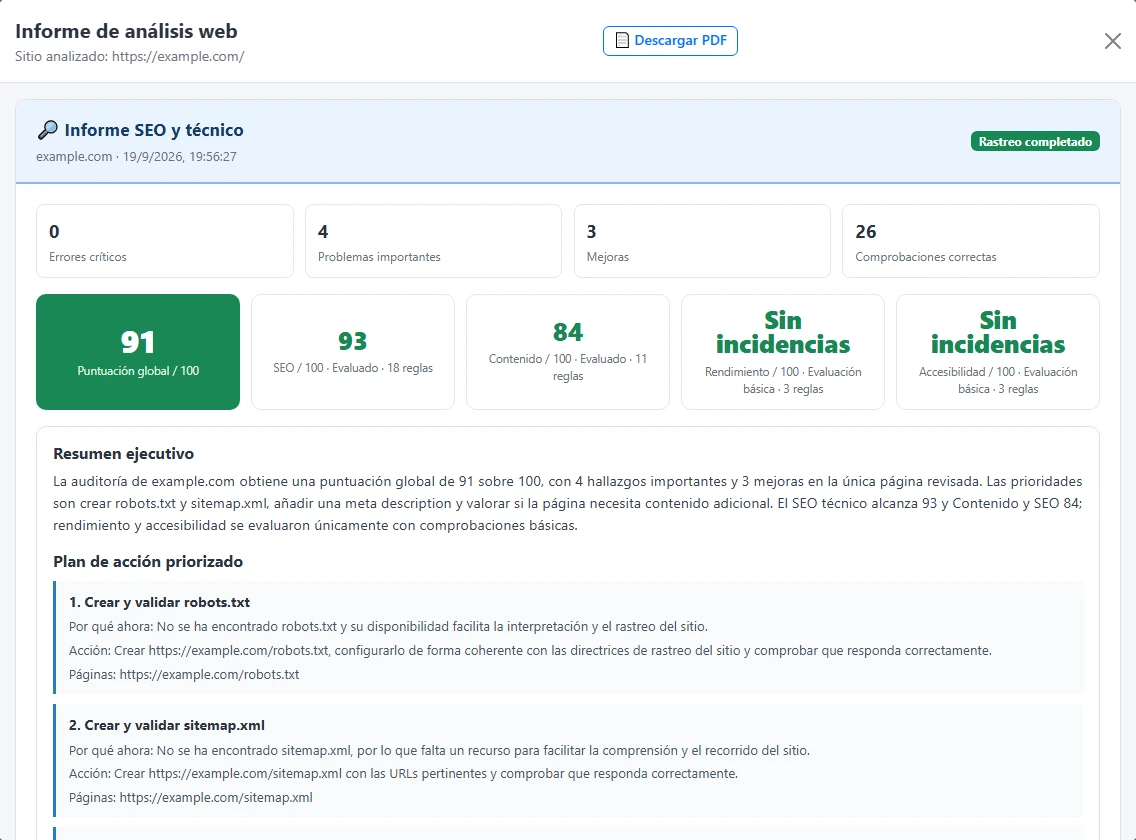
This is how saved reports and analysis results look. The screenshots show demonstration data.
Screenshots show the Spanish interface with demonstration data.
The Reports tab contains results saved in this browser. Each card shows the analysis type, pages reviewed and status. You can reopen earlier reports here.
Demonstration history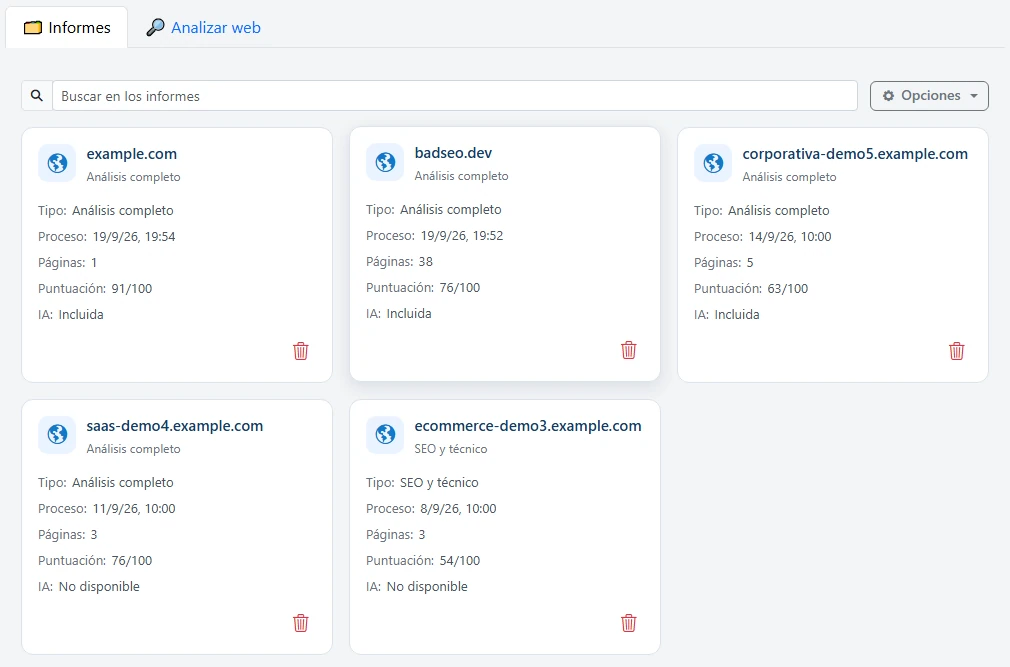
The report shows the scope, checks, scores and their coverage, and an action plan. Rules determine the scores, and AI interprets the results and suggests actions.
Summary and prioritiesThe detail shows the title, description, main heading, canonical URL and crawl scope. Relate each finding to a page before deciding what to fix.
Data observed for each page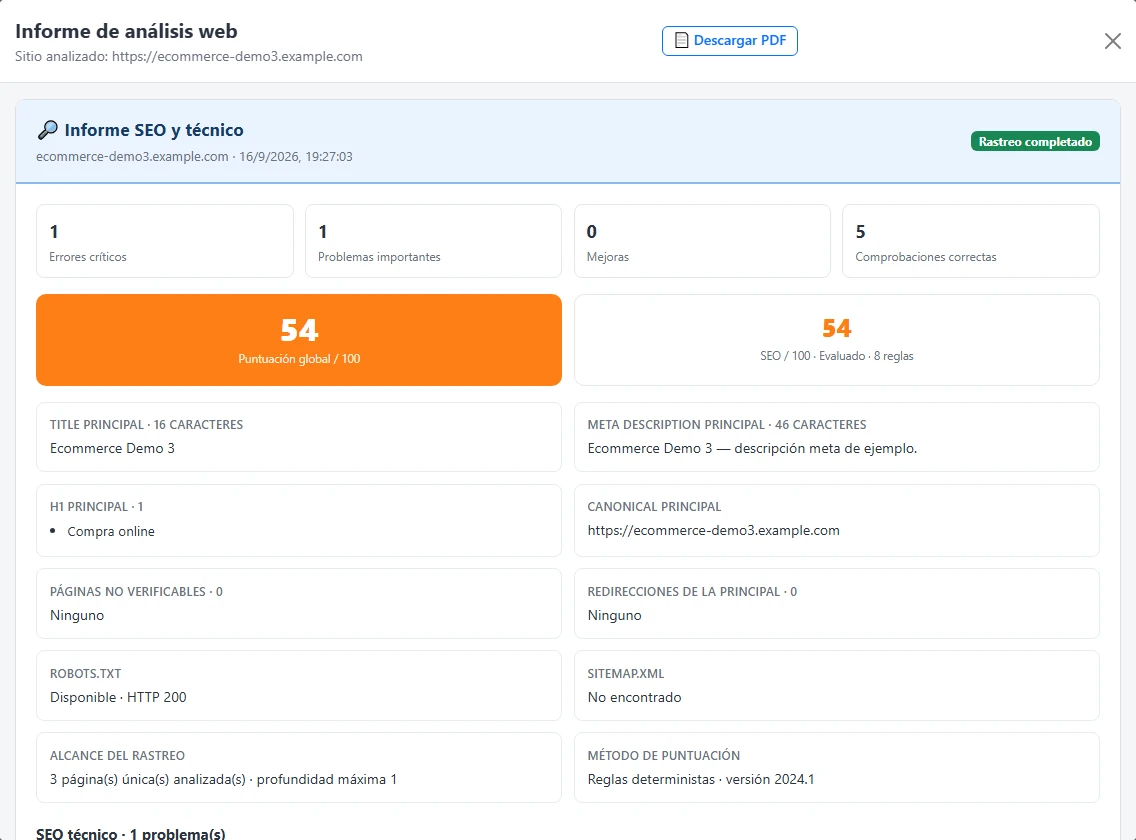
Check affected pages, understand each finding and download a PDF report. AI interpretation adds an executive summary and proposals for review.
The report states what was reviewed. Rules determine the scores, and AI explains the results and proposes improvements.
On the test website badseo.dev issues were deliberately introduced to show how findings are prioritised. This is a demonstration, rather than a client audit.
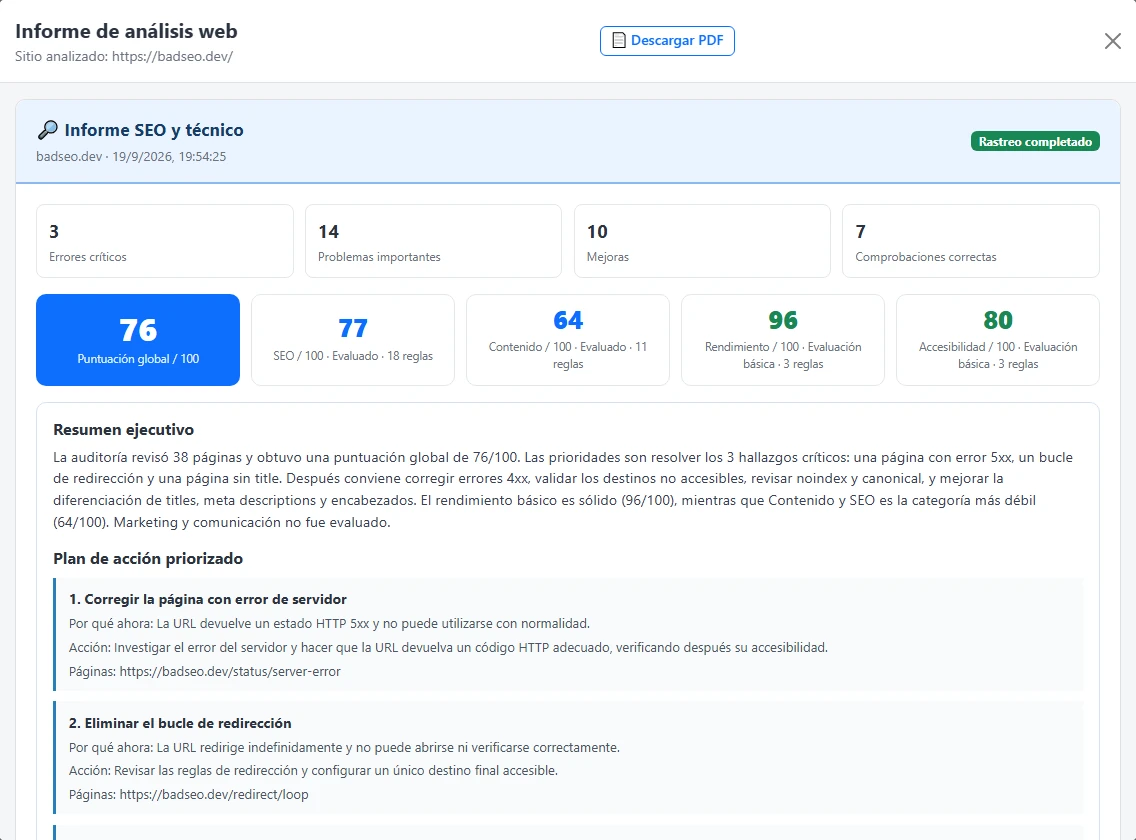
Before improving content, we want to know whether pages can be opened and crawled correctly.
We review technical and SEO issues in a sample of pages from the same domain.
We enter the badseo.dev URL, select SEO and technical aspects and run the analysis.
The report reviews 38 pages and highlights a page with a server error and a redirect loop among the first actions.
We can fix access and redirects first, then repeat the analysis to check outstanding findings.
Answers about scope, scores and reports.
Yes, it is available to all users with an active subscription.
It reviews the starting URL and a limited sample of pages on the same domain. The report states the crawl scope and number of pages reviewed.
The system runs checks and calculates scores using code and rules. AI can then interpret the results and suggest improvements.
Yes. The PDF report contains scores, detected issues and recommendations. If you have generated an AI interpretation, it also includes the summary and action plan.
This version analyses the website itself. It does not track search rankings or perform a full browser performance audit.
Enter your website URL and see what should be reviewed first.