Review a contract before signing it
Upload the contract sent by a client or supplier and get a summary of the obligations, deadlines and clauses worth reviewing before signing.
 CLOUD
Understand every clause. Identify what needs your attention.
Turn lengthy contracts and legal documents into a clear summary of obligations, deadlines and risks.
Long documents you need to understand before making a decision.
Upload the contract sent by a client or supplier and get a summary of the obligations, deadlines and clauses worth reviewing before signing.
Identify penalties, exclusivity clauses or unfavorable conditions hidden in the fine print of an agreement.
Get, in plain language, what information stays protected and what commitments you take on by signing.
Analyze the document focusing on a specific aspect (for example, payment terms or duration) to better prepare for a negotiation.
Analyse the document and review the conclusions with the original at hand.
Add a PDF contract or agreement from the tool.
Choose the document and, where appropriate, specify what you want to review.
Review the summary, parties, obligations, deadlines and highlighted risks.
Return to the original document before signing or negotiating its terms.
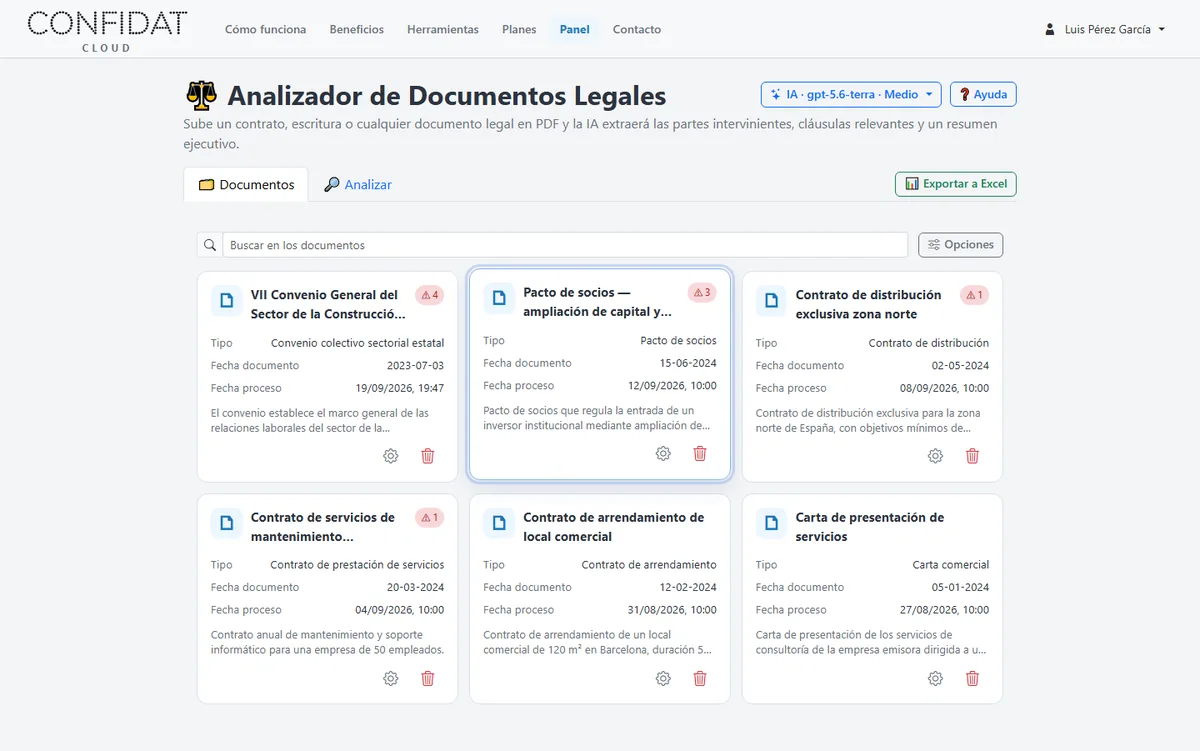
Tool screenshots with demonstration data.
Screenshots show the Spanish interface with demonstration data.
The documents view brings together contracts and agreements analysed in the demonstration session.
Demonstration sessionThe detail organises document identification, a summary and points requiring attention.
Demonstration session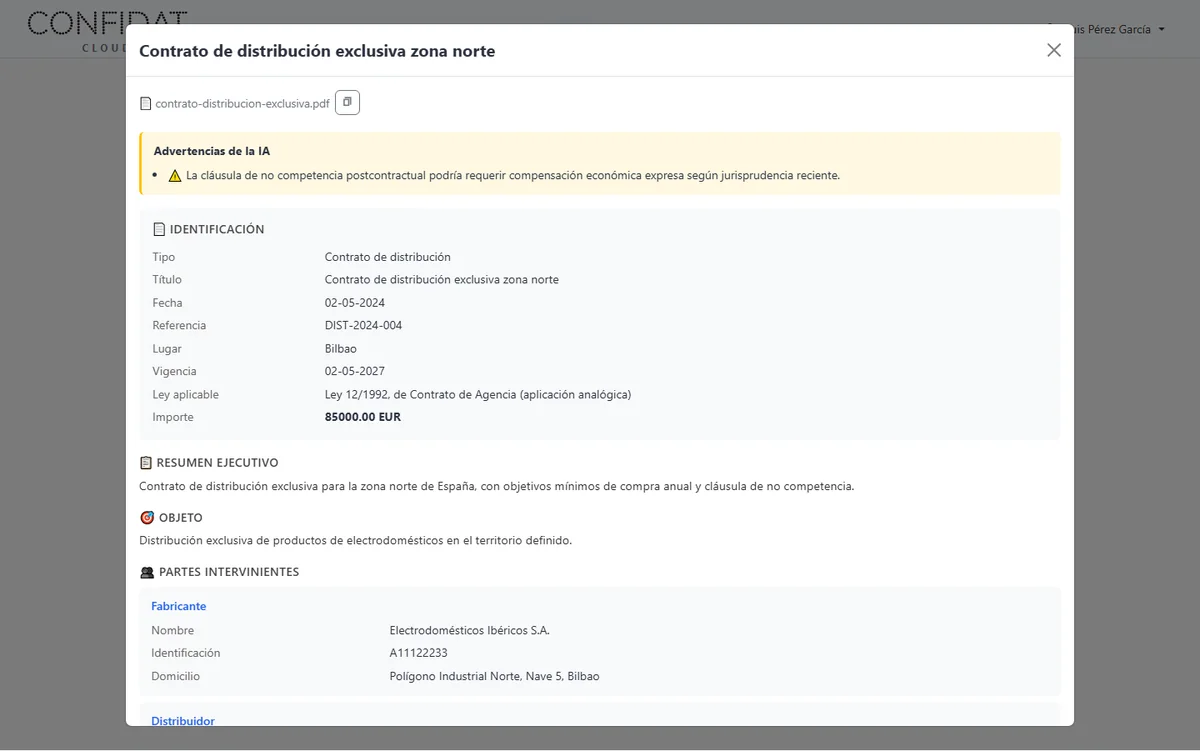
The tool organises essential document elements and highlights points to review.
Practical information before you start.
Contracts, NDAs, agreements and any legal document in PDF.
A structured summary with the parties involved, purpose, obligations, key clauses, deadlines, penalties and detected risks.
Yes, you can give optional instructions to focus the analysis on a specific aspect of the document.
Yes. The AI selector lets you choose the model and reasoning effort and remembers the last valid selection in this browser.
Documents shows cards from the start. You can search for any text in a record and use Options to group, sort and choose visible fields. The configuration is kept in that browser.
Click its card to open the detail. The gear lets you view and reuse the input PDF when available; the bin asks for confirmation before deleting it.
Turn lengthy contracts and legal documents into a clear summary of obligations, deadlines and risks.